Encrypted private space · audit trail

Your documents, organised, secure and intelligent.

Your organisation's digital archive: shared spaces for the team, a private space for you, and search that finds documents by what is inside them, not by filename. Dosibot, your assistant, files and drafts alongside you — in the app or over WhatsApp.

Who it's for
From one person to a whole organisation
Languages
Spanish and English
Status
Invitation-only beta

Search by content, versions, and an assistant that asks before anything irreversible.

What you'll use every day

Three things we do best

File management

  • An encrypted private space and shared spaces with viewer, editor and admin roles.
  • Versions of every document and a log of who did what.
  • Search by content, even inside scanned PDFs.
  • Edit Word, Excel and PowerPoint in the browser.
  • Checklists that show which documents are still missing.

Dosibot, the assistant

  • Ask, summarise and compare; it links the files it used.
  • Saves what you send it on WhatsApp in the right place.
  • Drafts documents and spreadsheets from your files.
  • Creates folders, renames, moves and shares.
  • Asks you before anything irreversible.

AI connectors

  • Connect Dosier to Claude, ChatGPT or your company's own agent.
  • Your files become the library for all your tools.
  • AI reads from and saves to Dosier, not to loose copies.
  • Dosier's permissions limit what the AI can see.
  • Open standard (MCP), no vendor lock-in.

The result: Dosier stops being "another folder" and becomes your working library — the same one for your team, for WhatsApp and for any AI you use.

What Dosier is

A space for each thing you're dealing with

Your course notes, your business books, a client's file, the paperwork at home. Each thing in its place, shared only with who you decide — or with nobody.

A client's space

Documents, chat, calendar and traceability in one place, in that client's accent colour.

Your private space

Your drafts and encrypted notes, kept apart from anything shared, with their own trash.

Notebooks

Pick a set of documents and work over them with answers that cite their sources.

Chat & collaboration

Every space comes with its conversation

One channel per space with mentions, document and event references, reactions and pinned messages. And outside the spaces: your private messages, your encrypted notes and your shared links.

Search

Find a photo by what's in it

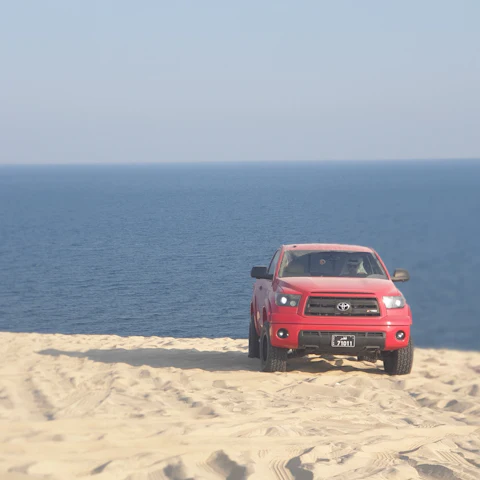
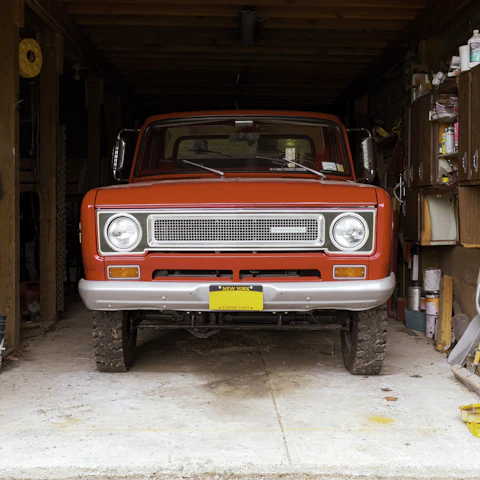
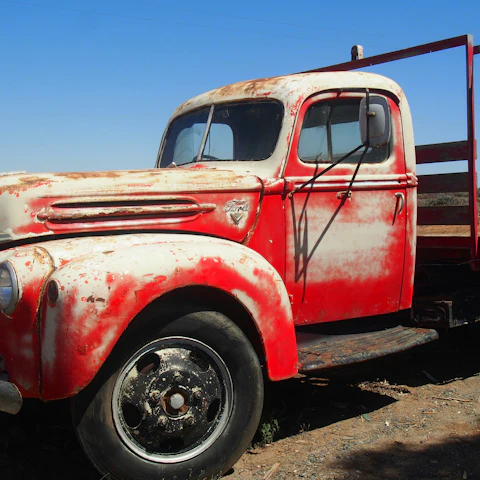
Ctrl K searches your Spaces, your personal files, your notes and your chats. On the Images tab it searches by what the photo shows: type “red pickup truck” and it finds it even if the file is called IMG_2231.jpg.

  • By name and by content

    It searches every document's name and text, including scanned PDFs and photos of paperwork.

  • By what it shows

    Describe the photo in your own words, in English or Spanish; results are ranked by likeness.

  • By file type

    Narrow to PDFs, spreadsheets or images when you already know what you're after.

Dosibot

It doesn't just find things: it does them

Dosibot works on the documents you already have access to and links the files it used. Anything irreversible it asks about first; everything else it shows you done, with a button to undo it.

Find and summarise

Full-text and semantic, inside scanned PDFs too. It summarises what you ask for and links where it came from.

File and organise

Forward it a file and it lands in the right place. It creates folders, renames, moves and copies between your space and the shared ones.

Create and edit

Draft a new document, edit an existing one, build a spreadsheet or drop pages from a PDF.

Share and remind

Prepare links for a file, a folder or a batch; send documents over WhatsApp or email; create reminders.

Cite, in notebooks

Inside a notebook it answers only from the sources you gave it, and numbers every citation.

It asks before anything irreversible

Deleting, moving something between spaces, inviting someone or sending an email needs your explicit confirmation, and that confirmation covers only that.

And the rest can be undone

What it saves or edits creates a version and goes through the trash, and every action lands in the audit trail. Nothing disappears without a trace.

In action

Ask the way you'd ask a person

On the web or over WhatsApp, Dosibot does the work and shows you what it did: your folders' new structure, the PDF ready to download, the file on your phone.

On the web
On WhatsApp

Security

Built for documents that matter

Encryption at rest, per-action audit trail, access control per space and full version history.

Encrypted at rest

Files encrypted on the server; Notes with an extra encryption layer

Audit trail

Who uploaded, edited, downloaded, moved or deleted

Infrastructure in the EU

Hetzner · Germany and Finland · ISO/IEC 27001:2022

Version history

Every version is kept and can be restored

Infrastructure is Hetzner, whose data centres in Germany and Finland are certified to DIN ISO/IEC 27001:2022.

Questions

What people ask us

What is Dosier?

Cloud storage with the tools storage usually lacks: search that understands the content, versions, shared spaces with roles, checklists, and an assistant that also files, organises, drafts and shares for you. It works as well for your notes as for a client's file.

How are documents protected?

Files are encrypted at rest on the server, with keys Dosier manages, and Notes carry an additional encryption layer. Inside the app, your private space is visible only to you, and each shared space only to its members, according to their role. Staff access to the servers is restricted, and the administration console requires a second factor. Every change to and download of a document is recorded in the audit trail. The infrastructure is Hetzner's, whose data centres in Germany and Finland are certified to DIN ISO/IEC 27001:2022.

Can I invite someone from outside my organisation?

Yes. A guest gets into only the space you invite them to, with the role you give them, and is marked as a guest everywhere in the interface.

What is Dosibot?

Dosier's assistant. It finds and summarises your documents while linking the ones it used, saves what you send it, creates and edits documents and folders, moves files between spaces, prepares share links and creates reminders. Irreversible actions — deleting, moving between spaces, inviting someone, sending an email — need your explicit confirmation; everything else creates a version, goes through the trash and stays in the audit trail. It works in the app and over WhatsApp. In notebooks it answers only from the sources you gave it and numbers every citation.

Is Dosier available in Spanish?

Yes — Spanish first. The whole interface, the help centre and the video course exist in Spanish and English.

Is it useful if I work alone, or if I'm a student?

Yes. The private space needs no team: you upload, search and share whenever you want. The shared spaces are there the day you need them.

Invitation-only beta. From one person to whole organisations.